AI Email Writer in your own tone
Describe what the email needs to do and get a draft that reads like you wrote it — same warmth, same directness, no “I hope this email finds you well”.
Email writer · aiming for 60–200 words · Free account · 5,000 words a month · We don't store your text
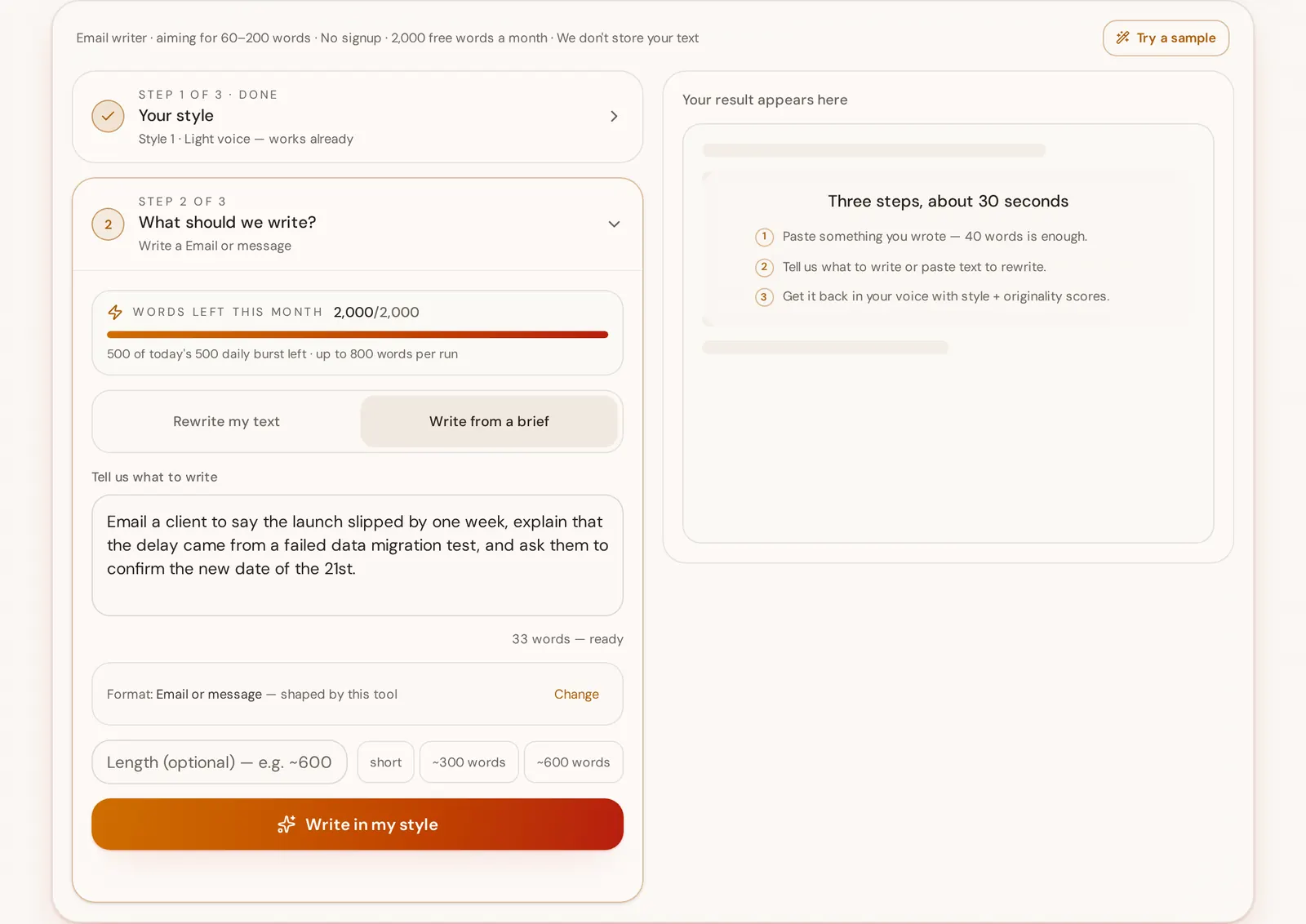
Your result appears here
Three steps, about 30 seconds
- 1Paste something you wrote — 40 words is enough.
- 2Tell us what to write or paste text to rewrite.
- 3Get it back in your voice with style + originality scores.
Free account · 5,000 words a month · We don't store your text
What the Email writer does
StyleMimic's AI email writer drafts emails in your own tone of voice instead of a generic assistant register. You paste 40+ words of emails you have already sent, describe what this email needs to achieve, and it returns a subject line under 50 characters plus a 60–200 word body that ends on exactly one ask — scored for how closely it matches your measured style and how little it reuses your own sentences. It is free with an account, never connects to your inbox, and is used for client replies, internal updates, follow-ups, meeting recaps, intros and escalations.
- Subject line
- Under 50 characters so it survives mobile inboxes
- Body length
- 60–200 words, one purpose per email
- Ending
- Exactly one specific ask or next step
- Style sample needed
- 40 words of emails you've already written
- Price
- Free with an account — 5,000 words a month
- Inbox access
- None — nothing is connected, read or sent for you
How it works — three steps, about 30 seconds
- 1Paste a few emails you've written before as the style sample.
- 2Describe the email: who it's for and what it should achieve.
- 3Get a draft in your tone, with a style-match score.
Before and after
Generic AI output
I hope this email finds you well. I wanted to reach out and touch base regarding the project timeline and see if you had any updates you could share with us at your earliest convenience.
In the author's style
Quick check on the timeline — are we still good for the 14th? If anything slipped, tell me now and I'll move the review rather than chase you next week.
- Words
- 34 → 29
- Sentences
- 2 → 2
- Filler openers
- 1 → 0
- Asks in the email
- 0 vague → 1 specific
Drops the filler opener, keeps the writer's direct tone, and ends on one clear ask.
What you actually see
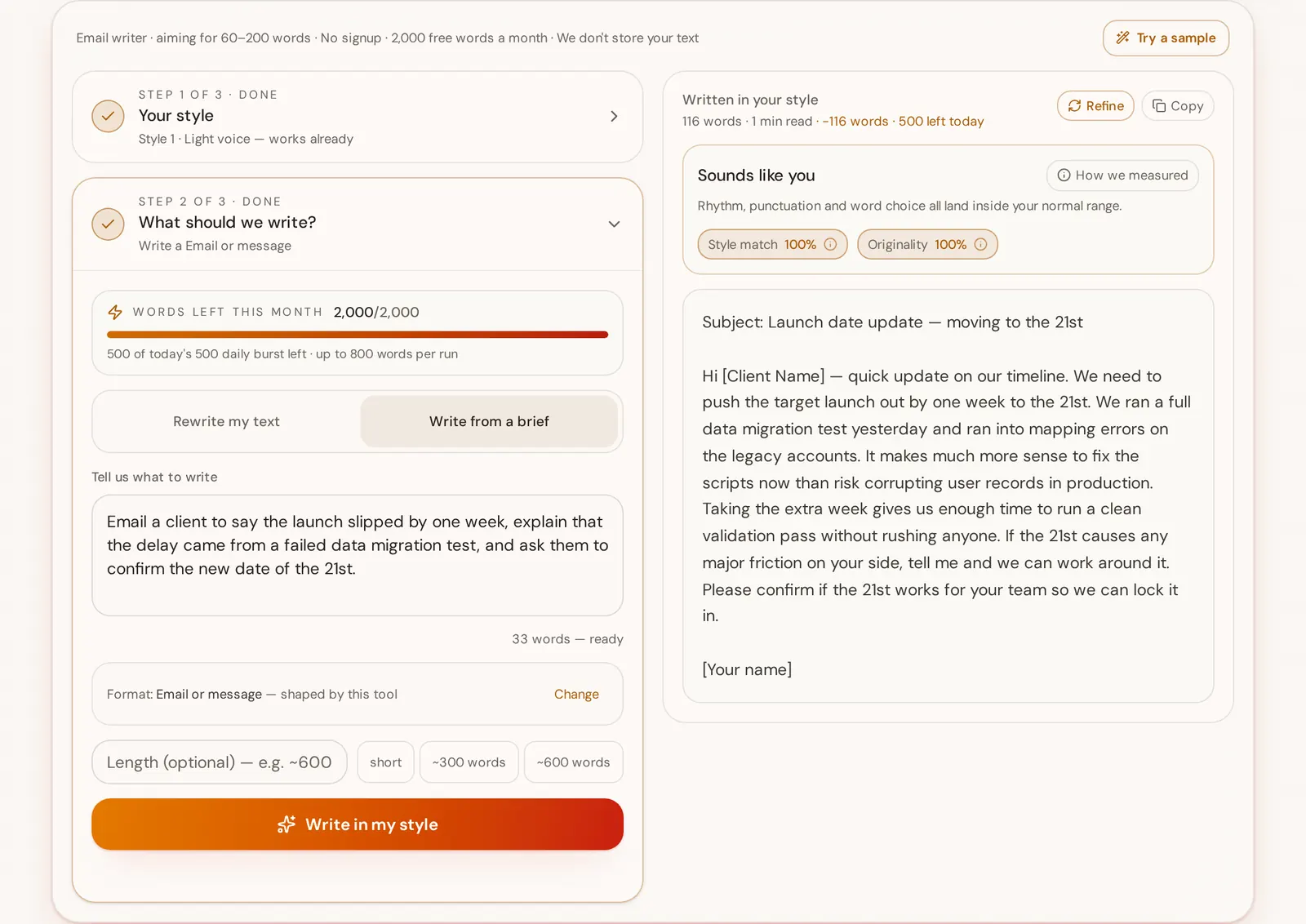
What an AI email writer actually does
An AI email writer turns a short brief — who the email is for and what it has to achieve — into a sendable draft: a subject line, a body that states its purpose in the first two lines, and one clear ask at the end. Email is the format where length discipline matters most, because the reader is triaging an inbox rather than reading a page. A working business email is usually 60 to 200 words carrying exactly one purpose; two purposes in one email reliably gets one of them ignored.
It is also the format where generic AI is most obvious, and the tells are boringly consistent: the filler opener that says nothing, the hedging stack ("just wanted to quickly circle back on"), the polite three-point close, and a register a notch more formal than the thread it is answering. Recipients rarely think "this is AI" — they think the sender has stopped writing like themselves, which is worse, because tone is most of what an email carries.
StyleMimic works from your own sent mail instead of a default assistant voice. You paste 40 words or more of emails you have already written and they are measured into a style profile: average sentence length and how much it varies, comma and dash habits, contraction use, how often you hedge, how concrete your nouns are, how you open and how you sign off. That profile is sent to the model as the target the draft has to hit, alongside a hard format contract — subject under 50 characters, purpose in the first two lines, formality matched to the thread, exactly one ask.
Two scores come back with the draft. Style match compares the output against your measured profile, so you can see how close it landed before you send. Originality is an n-gram check against your own samples, which catches the quiet failure mode of style tools: handing you back your old sentences rearranged instead of a new email. Both are visible next to a words receipt showing what the run cost against the free allowance — 5,000 words a month on a free account.
Search engines and inbox providers do not penalise assisted writing as such; Google's own guidance judges content by usefulness rather than how it was produced, and mail providers care about consent and volume, not authorship. What gets an email ignored is the same thing that always did: no clear purpose, no specific ask, and a voice the recipient does not recognise.
Who uses one
Founders and consultants handling client mail themselves, account and customer success managers writing dozens of threads a day, operators sending internal updates, recruiters and salespeople writing intros, and support leads who need a human register in escalation emails.
What it is not
It is not a mail client and it is not connected to Gmail, Outlook or any inbox: it cannot read your mail, send on your behalf or blast a list. It also does not invent facts — dates, numbers, names and commitments have to come from your brief, because a confident wrong detail in an email is far more expensive than a clumsy sentence.
How to get a draft you can send as-is
Paste real emails you sent, not polished marketing copy, and include at least one that carries bad news — that is where your register is most distinctive. Put the facts in the brief: dates, numbers, the thing you are asking for, and the message you are replying to if there is one. Then read the ask at the end before sending; if the draft hedges, refine once with "make the ask direct" and it lands.
Further reading
- Google Search: guidance on AI-generated contentThe standard is usefulness and originality regardless of how text was produced — the same reason an assisted email still needs a real purpose and a real ask.
- FTC: CAN-SPAM Act compliance guide for businessCommercial email carries legal duties around honest subject lines and opt-out, which is why this tool drafts single emails you send yourself rather than bulk campaigns.
- Gmail: sender guidelinesGoogle's sender rules are about authentication, consent and volume rather than who wrote the text, so assisted drafting has no deliverability cost on its own.
Four tells of generic AI email writer output
The filler opener: "I hope this email finds you well", "I wanted to reach out", "Hope you're having a great week."
How we fix it: The format contract requires the reason for writing in the first two lines, which leaves no room for an opener that carries no information.
Hedging stacks — "just wanted to quickly circle back and touch base regarding" — where four soft words defer the actual point.
How we fix it: Hedge frequency is measured from your own emails, so the draft hedges as much as you do and no more, and the single-ask rule forces the point into the open.
The multi-ask ending: three polite requests and a "let me know your thoughts", so nothing specific is actually being asked.
How we fix it: Every draft must end with exactly one specific ask or next step, which is the line the recipient can act on.
Register drift — a formal, symmetrical, contraction-free reply to a two-line casual thread.
How we fix it: Formality is matched to the thread described in the brief and to your measured contraction and sentence-length habits, not to a fixed corporate default.
What makes a great Email writer
- One purpose per email, stated in the first two lines.
- Subject line under 50 characters so it survives mobile inboxes.
- Skip filler openers; start with the reason you're writing.
- End with a single, specific ask or next step.
- Match the formality of the thread you're replying to.
What people write with it
Client and customer replies that sound like you
The everyday thread where tone carries the relationship: a scope question, a price question, a change of plan. Paste your own past client mail once and every reply keeps the directness the client already recognises instead of switching to account-manager English.
Internal updates to a team or a manager
Status notes, decisions and heads-ups where people mostly need the point in the first two lines. The draft states the reason for writing up front and stays inside 200 words, so nobody has to scroll to find what changed.
Follow-ups and nudges after silence
The email nobody wants to write, because a nudge that reads as a template invites another week of silence. Drafts stay short, reference the specific thing you are waiting on, and end on one dated ask rather than a vague check-in.
Meeting recaps and decision summaries
Turn rough notes into a recap that lists what was decided and who owns the next step. Because the draft is measured against your own writing, the recap reads like your notes cleaned up, not like minutes produced by a bot.
Intro and networking emails
A first email to someone who does not know you gets about two sentences of attention. The subject line stays under 50 characters, the body says why you are writing in the opening line, and there is exactly one ask at the end.
Apology and escalation emails
The highest-stakes format: a missed deadline, a bug that reached a customer, a bill that was wrong. The draft avoids the hedging stack that reads as evasion and commits to one concrete next step, in your register rather than a corporate one.
Questions
Can it match my company's tone rather than mine?
Yes — paste your best on-brand emails or help-centre copy as the sample and the profile follows the brand instead of a single person.
Does it write subject lines?
Yes. Every draft starts with a subject line under 50 characters on its own first line, then the body. Asking for alternatives in the brief returns several options to choose between.
Is my email content stored?
No. The text is used for the request and we don't keep it for training.
Is it free?
Yes. A free account includes 5,000 words a month with no card, and it saves your style profiles so you don't paste your samples again.
Does it connect to Gmail or Outlook?
No, and that is deliberate. Nothing is read from your mailbox and nothing is sent on your behalf — you paste a brief, you copy a draft, and you stay the person who presses send.
How long should a business email be?
Most working emails land between 60 and 200 words with one purpose and one ask, which is the band this tool targets. Anything longer usually belongs in a document with a short email pointing at it.
Will the email look AI-generated?
Each draft is scored twice: style match against the measured profile of your own emails, and originality against your samples so it cannot recycle your old sentences. The filler opener, hedging stacks and multi-ask endings that give generic AI email away are blocked by the format contract.
Can it reply to an email I received?
Yes — paste the message you received into the brief along with what you want to say back, and the draft matches the formality of that thread rather than defaulting to a fixed register.
How this works, in full
Related tools
Keep your style in one place
A free account gives you 5,000 words a month and up to 10 saved style profiles. Writing needs an account — scanning a style doesn't.